Finding the Perfect Home Office: What Remote Workers Should Look For
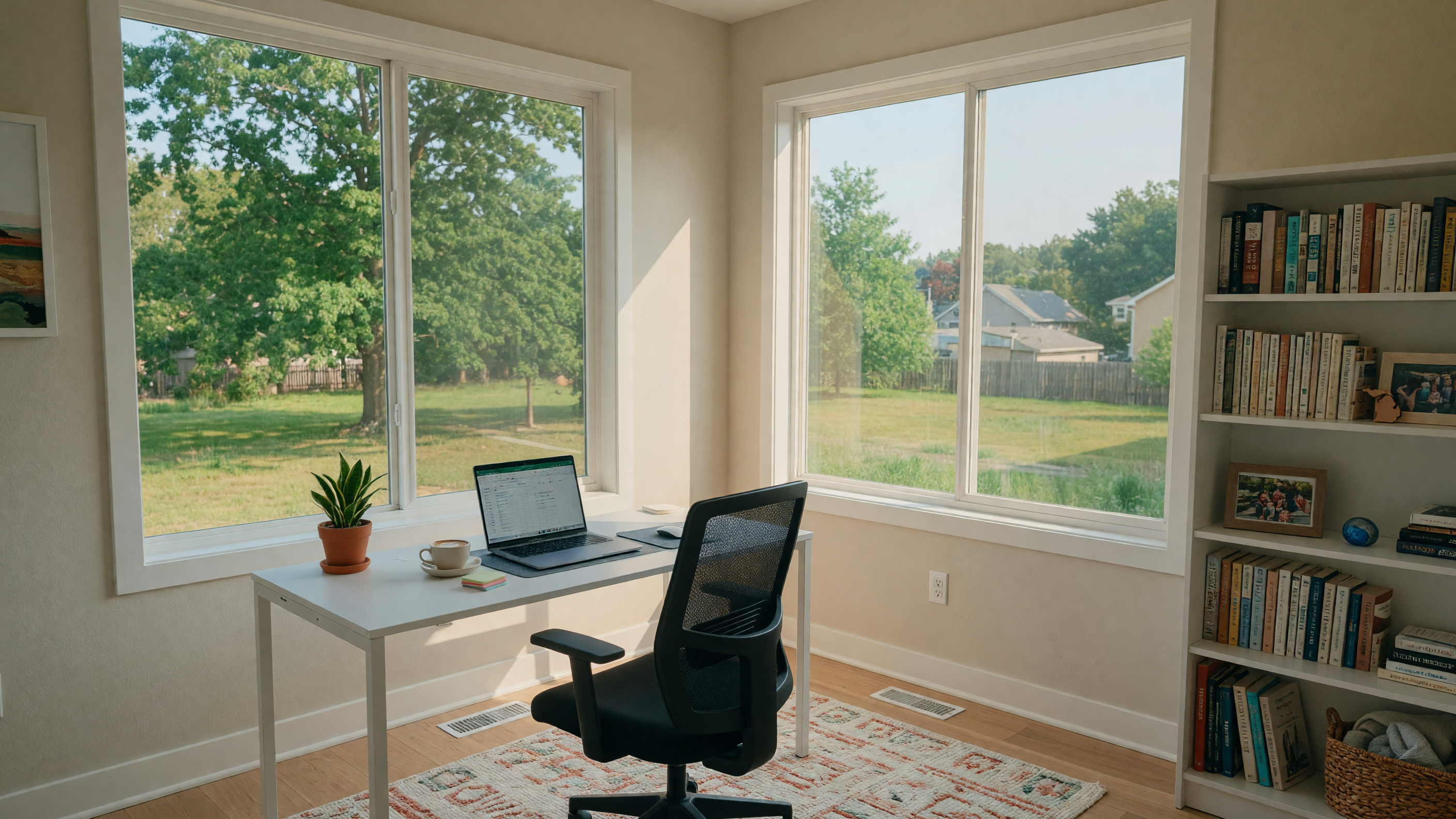
Remote work is no longer a temporary arrangement — it is a permanent feature of the modern workforce. According to recent surveys, approximately 35% of American workers with jobs that can be done remotely now work from home full-time, and another 40% work in a hybrid arrangement. That means millions of people are no longer tethered to a daily commute, and they are rethinking where they live based on lifestyle priorities rather than office proximity. For remote workers shopping for a home in Mid-Michigan, the home office is not a luxury — it is a workspace that directly impacts productivity, well-being, and career performance. Here is what to look for when evaluating homes through the lens of a remote worker.
Dedicated Room Requirements: More Than Just a Corner
The most common mistake remote workers make when house hunting is underestimating the importance of a truly dedicated office space. A corner of the living room, a nook under the stairs, or a shared space with the dining table might work for occasional laptop sessions, but they do not work for sustained, professional remote work. Here is what a functional home office actually needs:
A Room with a Door
This is the single most important feature. A home office needs to be a separate room — or at minimum, a space that can be closed off from the rest of the home. The door provides three critical functions: sound isolation for video calls, visual separation from household distractions, and the psychological boundary between work and personal life that prevents remote work from consuming every corner of your home. During your home search, look for homes with a dedicated room that can serve as an office — a spare bedroom, a den, a study, or even a well-designed finished basement space with a door that closes.
Sufficient Square Footage
A functional home office needs enough space for a full-size desk (at least 48 inches wide for a proper workspace), an ergonomic chair with room to roll back, and ideally some storage — a bookshelf, filing cabinet, or built-in shelving. A room that is 100–150 square feet — roughly the size of a small bedroom — provides adequate space for most remote workers. If your work requires dual monitors, a standing desk converter, or specialized equipment, you may want a slightly larger room.
Separation from High-Traffic Areas
Where the office sits in the home's layout matters significantly. An office at the end of a hallway, away from the kitchen, living room, and kids' bedrooms, will be far more productive than an office directly off the main living area. During showings, pay attention to foot traffic patterns. Walk from the kitchen to the living room — does the path go through or past the office space? That is a red flag for focus and productivity. Homes with the office positioned on a separate level, in a quiet wing, or at the back of the house tend to work best for remote workers.
Internet Connectivity: The Non-Negotiable
None of the other features matter if the internet does not work. For remote workers, reliable, fast internet is as essential as electricity. The Federal Communications Commission updated its broadband definition in 2024 to a minimum of 100 Mbps download and 20 Mbps upload speeds — and for remote workers who regularly participate in video conferences, use cloud-based applications, and transfer large files, those minimums are exactly that: minimums. Here is what to look for:
- Verify service at the specific address. Internet availability varies dramatically from one address to the next, even within the same neighborhood. Before making an offer on a home, confirm that the address has access to internet speeds that meet your work requirements. Most providers — AT&T, Xfinity, Metronet, and others — have online tools that let you check by address. I help my remote-working clients with this verification during the home search process.
- Fiber-optic is the gold standard. Fiber internet delivers symmetrical speeds (equal upload and download), low latency, and the reliability that video conferencing demands. Providers like Metronet and Midwest Energy & Communications (MEC) have been expanding their fiber footprint across southern and central Michigan. If fiber is available at your target address, that is a significant advantage.
- Backup internet option. Even the best internet service has outages. Consider whether the home has access to a backup internet option — a mobile hotspot, a secondary ISP, or a nearby co-working space or coffee shop where you could work temporarily. Smart remote workers plan for contingencies.
- Check for wired connections. Wi-Fi is convenient, but wired Ethernet connections are more reliable for video calls and heavy bandwidth usage. Look for homes that have Ethernet wiring in the office space — or at minimum, the ability to easily run a cable from the router to the office.
Natural Light: The Productivity Multiplier
Natural light is not just an aesthetic preference — it is a productivity and wellness factor that directly impacts how you feel during the workday. Studies consistently show that exposure to natural light improves mood, reduces eye strain, enhances focus, and supports better sleep patterns. When evaluating a home office space, pay attention to:
- Window size and orientation. North-facing windows provide consistent, glare-free light throughout the day — ideal for computer work. East-facing windows offer bright morning light but can become harsh in the afternoon. South-facing windows provide the most light overall but may create glare on screens. West-facing windows deliver intense afternoon light that can cause heat and glare issues. For a home office, north or east-facing windows are generally ideal.
- Window placement relative to the desk. The ideal setup places the window to the side of the desk rather than directly behind or in front of the monitor. Side lighting reduces glare while still providing the benefits of natural light. During your showing, imagine where your desk would go and how the light would fall.
- Room orientation in the home. Some homes have rooms that barely get natural light — interior rooms, rooms on the north side with obstructed views, or basement offices with small egress windows. While these spaces can work with good artificial lighting, they are not the first choice for remote workers who value natural light.
Noise Factors: Protecting Your Focus
Noise is one of the most underestimated challenges of home-based work. Sources of noise that you might not notice during a 20-minute showing can become unbearable during an 8-hour workday. Here is what to evaluate:
- Road traffic. A home on a busy road or near a highway interchange will generate constant traffic noise that penetrates walls and windows. Even with double-pane windows, road noise can disrupt video calls and deep focus work. During your showing, roll down the windows in the office room and listen. Stand quietly for a full minute. You will hear more than you expect.
- Neighborhood noise. Adjacent properties with dogs, children's play areas, or neighbor activity can create recurring noise patterns. Again, spend time listening during your showing — and if possible, visit the property at different times of day to understand the noise environment.
- Internal household noise. Homes with open floor plans — popular in modern construction — amplify internal noise. If your office shares a wall with the kitchen, laundry room, or a child's playroom, the ambient noise from daily life can be disruptive. Homes with more compartmentalized layouts, separate wings, or traditional room configurations tend to offer better sound separation for home offices.
- Soundproofing options. If a home has the right layout, internet, and natural light but the office room has noise issues, soundproofing can help. Adding weatherstripping to the door, installing a solid-core door (instead of a hollow-core door), adding thick curtains, and placing a rug or carpet can all reduce noise transmission. These are relatively affordable improvements that can make a meaningful difference.
Zoning for Home Businesses
Most remote employees working from a home office do not need to worry about zoning — you are an employee of a company working from your residence, which is permitted in virtually all residential zones. However, if you are self-employed, run your own business, or plan to have clients visit your home office, zoning becomes relevant. Here is what to know in Michigan:
- Home occupation permits. Many Michigan municipalities require a home occupation permit for businesses operated from a residence. The permit process is typically straightforward and inexpensive, but it may impose restrictions on signage, client visits, employee数量, and external appearance of the home.
- Restrictions vary by municipality. Grand Blanc, Fenton, Holly, Lake Orion, and other communities each have their own zoning ordinances governing home-based businesses. Before purchasing a home for a business purpose, check with the local zoning office to confirm that your intended use is permitted.
- HOA restrictions. If the home is in a homeowners association community, the HOA's CC&Rs (Covenants, Conditions, and Restrictions) may impose additional limitations on home-based businesses — including restrictions on client parking, exterior signage, and business-related traffic. Review these documents carefully before purchasing.
Mid-Michigan Communities Worth Comparing for Work-From-Home Lifestyles
Not all Mid-Michigan communities are equal when it comes to remote work quality of life. Based on my experience helping remote-working buyers find homes in the region, these communities consistently stand out for their combination of internet access, home office-friendly housing stock, lifestyle amenities, and community character:
- Grand Blanc. A well-established community with a range of housing options — many with dedicated office spaces or flexible floor plans. Strong internet infrastructure, a growing downtown area, schools, and easy access to I-75 make it a practical and appealing choice for remote workers. See our Grand Blanc Community Guide.
- Fenton. Fenton's housing stock includes many homes with dens, studies, or bonus rooms that convert naturally to home offices. The walkable downtown, excellent restaurants, and active community life make it a lifestyle-forward choice for remote workers who want more than a bedroom and a desk. See our Fenton Neighborhood Guide.
- Holly. Holly offers more affordable housing with generous lot sizes and a quiet, community-oriented atmosphere that supports focused work. The proximity to Holly Recreation Area adds an outdoor lifestyle element that many remote workers value. See our Holly Community Guide.
- Lake Orion. Lake Orion's combination of lake access, schools, and a revitalized downtown makes it a livable community in Oakland County for remote workers. Homes in the area range from modest to substantial, with many offering flexible spaces suitable for home offices. See our Lake Orion Community Profile.
- Hartland and Brighton. These Livingston County communities offer strong internet infrastructure, schools, and a mix of newer construction and established homes — many with first-floor offices or finished basements. The communities are also within reasonable commuting distance of Ann Arbor and metro Detroit for workers who need occasional in-person access. See our Hartland and Brighton Community Guide.
The Home Office Checklist: What to Evaluate at Every Showing
Here is a practical checklist to bring to every home showing when you are shopping as a remote worker:
- Is there a dedicated room that can serve as an office? Can it be closed off with a door? Is it separate from high-traffic living areas?
- What internet service is available at this address? Check provider availability before or during the showing.
- How is the natural light? Which direction do the office windows face? Is there glare potential?
- What is the noise environment? Listen for traffic, neighborhood sounds, and internal household noise.
- Is there electrical and data infrastructure? Are there enough outlets? Is there Ethernet wiring or conduit?
- Does the layout support work-life separation? Can you close the office door and mentally leave work behind at the end of the day?
- Is there a backup workspace option? A nearby coffee shop, library, or co-working space for days when you need a change of scenery.
Related Reading
- Why Mid-Michigan is Perfect for Remote Workers — the broader case for relocating to the region
- First-Time Buyer Guide — essential guidance for new buyers
- Moving to Mid-Michigan: The Complete Relocation Guide — everything you need to know about moving to the area
- How to Evaluate a Neighborhood Before You Buy — a framework for community evaluation
Ready to Find Your Work-From-Home Haven?
Finding a home that works as well as your office does requires a specific set of priorities — and that is exactly what I help remote-working buyers focus on. I understand the internet requirements, the layout needs, the noise considerations, and the community lifestyle factors that make remote work sustainable and enjoyable. Whether you are relocating to Mid-Michigan from out of state or moving within the region, I would love to help you find the home that supports your best work and your best life.
Schedule a consultation, call me at 810-513-3335, or email joyce@midmichiganliving.com. Let's find the home office setup you have been looking for.

Keller Williams First · 810-513-3335 · Schedule a consultation